
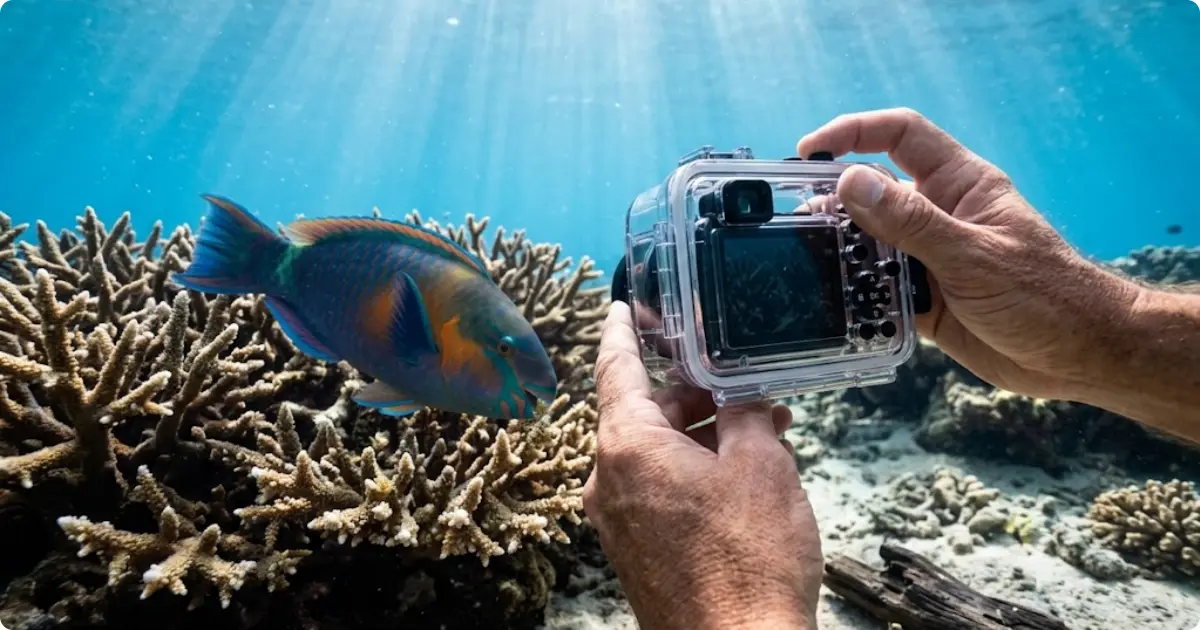

We spent three snorkeling seasons shooting with both GoPro action cameras and dedicated underwater cameras across reef systems in Southeast Asia, the Caribbean, and the Red Sea.
The frustration is real. Forums and Reddit threads are packed with snorkelers who bought the wrong camera, got washed-out blue photos, and felt cheated. Most comparison guides are written by divers — not snorkelers — and the advice rarely applies to surface-level shooting conditions.
This article breaks down exactly where each camera type wins, where it fails, and which one matches your budget and snorkeling style.
QUICK ANSWER: For most snorkelers, a GoPro delivers the best combination of portability, video quality, and ease of use. However, dedicated underwater cameras like the Olympus TG-7 produce sharper photos with more accurate color. Choose GoPro for video-first travel snorkeling. Choose a dedicated camera for serious underwater photography with manual control.
Why This Debate Matters for Snorkelers
This section explains why the GoPro vs dedicated underwater camera decision is different for snorkelers than it is for divers.
- Pick the wrong camera and every reef photo turns out blue
- Snorkelers shoot in shallow water with abundant natural light
- Divers need depth ratings beyond 30 meters — snorkelers do not
- Action cameras prioritize video; dedicated cameras prioritize photos
- Budget differences range from $200 to $600+ with accessories
- Choose based on how you actually use the camera underwater
Most snorkelers grab whatever camera is cheapest. That approach works until the first trip produces 300 blurry, blue-tinted images.
The real question is not which camera is “better.” It is which camera matches the way you actually snorkel. A GoPro and a dedicated waterproof camera solve different problems.
Where GoPro Wins for Snorkeling
A GoPro action camera excels in specific snorkeling scenarios that dedicated cameras struggle to match.
- Use a GoPro when portability matters more than photo resolution
- Pick GoPro for smooth 4K and 5.3K video on reef swims
- Choose GoPro for one-button simplicity while swimming
- Skip dedicated cameras when luggage space is tight
- Check GoPro’s frame-grab feature for still photos from video
Portability and Travel-Friendliness
A GoPro Hero weighs roughly 154 grams. Most dedicated underwater cameras weigh 250 grams or more before adding a housing.
For snorkelers who pack carry-on only, that size difference matters. A GoPro fits inside a shorts pocket. A housed compact camera needs its own padded case.
Video Quality and Stabilization
GoPro’s HyperSmooth stabilization is a genuine advantage underwater. Snorkelers deal with surface chop, wave surge, and constant motion. The stabilization smooths all of it.
Additionally, 5.3K video resolution allows high-quality frame grabs. Many snorkelers record video first and pull still photos later. This approach eliminates the pressure of timing a perfect shot while holding your breath on a dive-down.
Ease of Use Underwater
GoPro runs on a one-button system. Press record and swim.
There are no menus to navigate underwater. There are no dials to adjust with wet fingers. For beginners and casual snorkelers, this simplicity prevents missed encounters with turtles, rays, and reef fish.
Where Dedicated Underwater Cameras Win
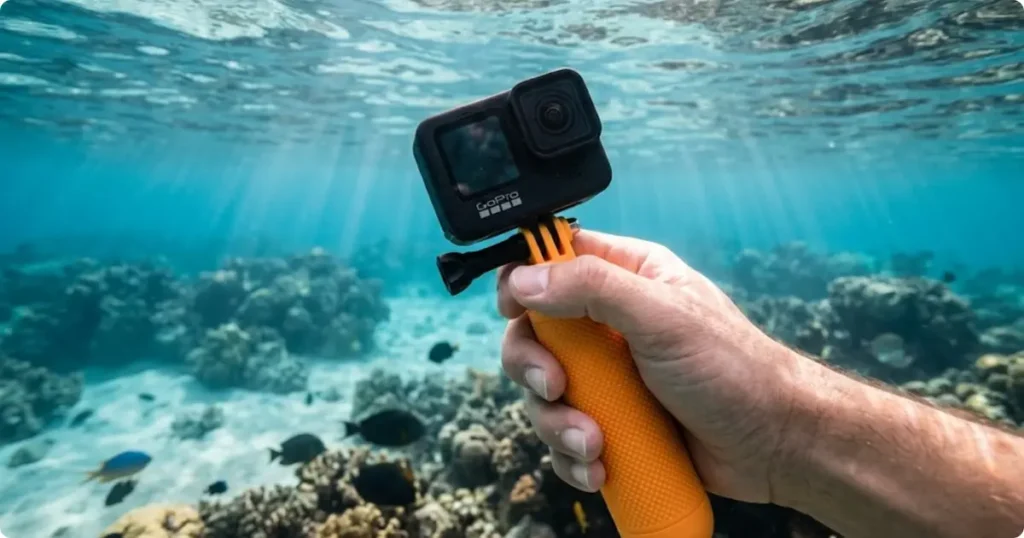
Dedicated waterproof cameras outperform GoPro in areas that matter most for underwater photography.
- Use a dedicated camera for sharper, more detailed still photos
- Pick models with optical zoom to photograph shy marine life
- Choose dedicated cameras for accurate underwater color reproduction
- Check for manual white balance to eliminate blue-green color casts
- Skip GoPro if close-up macro shots of coral and nudibranchs matter
Photo Quality and Color Accuracy
Dedicated underwater cameras like the Olympus TG-7 use larger sensors. Larger sensors capture more light and produce less image noise.
Because snorkeling happens in shallow, well-lit water, this advantage shows up clearly. Colors appear warmer and more accurate straight out of the camera. GoPro photos often require heavy editing to restore natural tones.
Manual Controls and Zoom
A GoPro has no optical zoom. Its wide-angle lens captures everything — but reef fish appear small and distant.
Meanwhile, dedicated cameras offer 4x to 5x optical zoom. This lets snorkelers photograph a parrotfish or moray eel from a respectful distance without losing detail. Manual white balance, aperture, and shutter speed controls give experienced shooters full creative freedom.
Low-Light and Deep-Water Performance
On overcast days or in slightly deeper water, light drops fast. GoPro’s small sensor struggles in these conditions.
Dedicated cameras with larger sensors and faster lenses handle low light better. As a result, photos from 5 to 10 meter dive-downs appear cleaner with less grain. However, most casual snorkelers stay near the surface where light is abundant.
Image Quality Compared Side by Side
| Snorkeling Scenario | GoPro Action Camera | Dedicated Underwater Camera | Winner |
|---|---|---|---|
| Wide reef panorama (bright, shallow) | Excellent — ultra-wide lens captures full scene | Good — narrower field of view | GoPro |
| Fish portrait (single subject) | Weak — no optical zoom, subject appears small | Excellent — 4x–5x zoom isolates subject | Dedicated |
| Fast-moving marine life (rays, dolphins) | Strong — shoot video, pull frame grab later | Moderate — burst mode helps but timing is harder | GoPro |
| Coral and macro close-ups | Weak — fixed wide lens lacks close-focus detail | Excellent — macro modes on Olympus TG series | Dedicated |
| Overcast or deeper water (5–10 m) | Weak — small sensor produces grainy images | Strong — larger sensor handles low light better | Dedicated |
| Smooth reef swim video | Excellent — HyperSmooth stabilization, 5.3K | Moderate — no built-in stabilization | GoPro |
| Underwater selfies | Excellent — front-facing screen, wide angle | Weak — no front screen on most models | GoPro |
| Print-quality still photos | Moderate — usable up to 8×10 in good light | Excellent — high-resolution files with detail | Dedicated |
This section compares real-world performance across the scenarios snorkelers encounter most often.
- Check GoPro for wide reef panoramas — it captures the full scene
- Use dedicated cameras for fish portraits with accurate color
- Pick GoPro for fast-moving subjects like dolphins and rays
- Choose dedicated cameras for coral close-ups and macro detail
- Skip GoPro for printable high-resolution still images
In bright, shallow conditions, both camera types produce usable images. The gap widens in three specific situations: macro subjects, distance shots requiring zoom, and photos taken below 3 meters.
For video, GoPro wins in nearly every scenario. Its stabilization, wide field of view, and high frame rates produce cinematic reef footage that dedicated cameras cannot match without an external gimbal.
INSIDER SECRET: Set your GoPro to Linear lens mode instead of Wide when shooting fish portraits. It reduces the fisheye distortion and makes marine life look more natural — a trick most snorkelers never discover.
Which Camera Fits Your Budget?
| Item | GoPro Setup | Dedicated Camera Setup |
|---|---|---|
| Camera body | $250–$350 (GoPro Hero) | $450–$550 (Olympus TG-7) |
| Waterproof housing | Built-in to 33 ft (optional housing ~$50) | Built-in to 50 ft (no housing needed) |
| Floating grip or handle | $20–$30 | $15–$25 (wrist strap or lanyard) |
| Memory card (128 GB+) | $15–$25 | $15–$25 |
| Snorkel or red filter | $15–$30 | Not required (manual white balance) |
| Spare battery | $20–$30 | $20–$40 |
| Total ready-to-snorkel cost | $320–$465 | $500–$640 |
Budget is the deciding factor for most snorkelers choosing between a GoPro and a dedicated underwater camera.
- Pick a GoPro Hero for the best value under $350
- Use the Olympus TG-7 as the top dedicated camera under $550
- Check refurbished GoPro models for savings below $250
- Skip expensive housings unless you plan deep free-diving
- Add a red or snorkel filter to either camera for $15–$30
A ready-to-snorkel GoPro setup — camera, floating grip, and memory card — runs approximately $300 to $400. A dedicated camera like the Olympus TG-7 costs $450 to $550 before adding accessories.
However, GoPro accessories add up quickly. A protective housing, filter kit, extension pole, and spare batteries can push the total past $500. Therefore, the real price gap is smaller than the sticker price suggests.
GoPro Settings That Actually Work Underwater
Most GoPro snorkeling photos disappoint because of default settings, not hardware limitations.
- Use 5.3K video at 30fps for the sharpest reef footage
- Pick Linear lens mode for natural-looking fish and coral shots
- Set white balance to 5500K in tropical blue water
- Avoid SuperPhoto mode — it over-processes underwater images
- Check ISO Maximum at 400 to reduce grain in shallow water
- Use Protune for full manual control over color and exposure
These adjustments take 60 seconds before entering the water. Because most snorkelers never change defaults, their GoPro footage looks flat and blue. Optimized settings make the same camera produce dramatically better results.
Additionally, pairing a red or snorkel filter with these settings restores warm tones lost to water absorption. A $20 filter transforms underwater footage quality more than a $200 camera upgrade.
How to Decide: A Snorkeler’s Use Case Guide
The best camera depends entirely on how you snorkel and what you want to capture.
- Pick GoPro if you snorkel casually on vacation 2–3 times per year
- Choose a dedicated camera if underwater photography is your hobby
- Use GoPro if video content for social media is your primary goal
- Pick dedicated cameras if you print photos or build a portfolio
- Check your travel style — ultralight packers benefit from GoPro’s size
If you already own quality underwater cameras, a GoPro makes an excellent secondary camera for video. Many experienced snorkelers carry both.
For first-time buyers on a budget, a GoPro with proper settings and a snorkel filter delivers the most versatility per dollar. First, it captures good-enough photos. Second, it records excellent video. Finally, it weighs almost nothing in a carry-on bag.
Meanwhile, snorkelers who return to the water regularly and care about photo quality will outgrow a GoPro within a season. A dedicated camera with manual controls becomes the better long-term investment.
The Verdict
We have tested both camera types across multiple reef systems and dozens of snorkeling sessions. The answer is not one-size-fits-all.
Buy a GoPro if you want effortless video, ultralight packing, and a camera that works the moment you press one button. Buy a dedicated underwater camera if sharp photos, accurate color, and creative control matter more than convenience.
For snorkelers building a complete snorkel sets kit, either camera is a worthy addition. For our full recommendations on pairing cameras with masks, fins, and accessories, see our essential gear guide.
Most snorkelers will not regret starting with a GoPro. However, serious underwater photographers will eventually want more — and a dedicated camera delivers exactly that.
